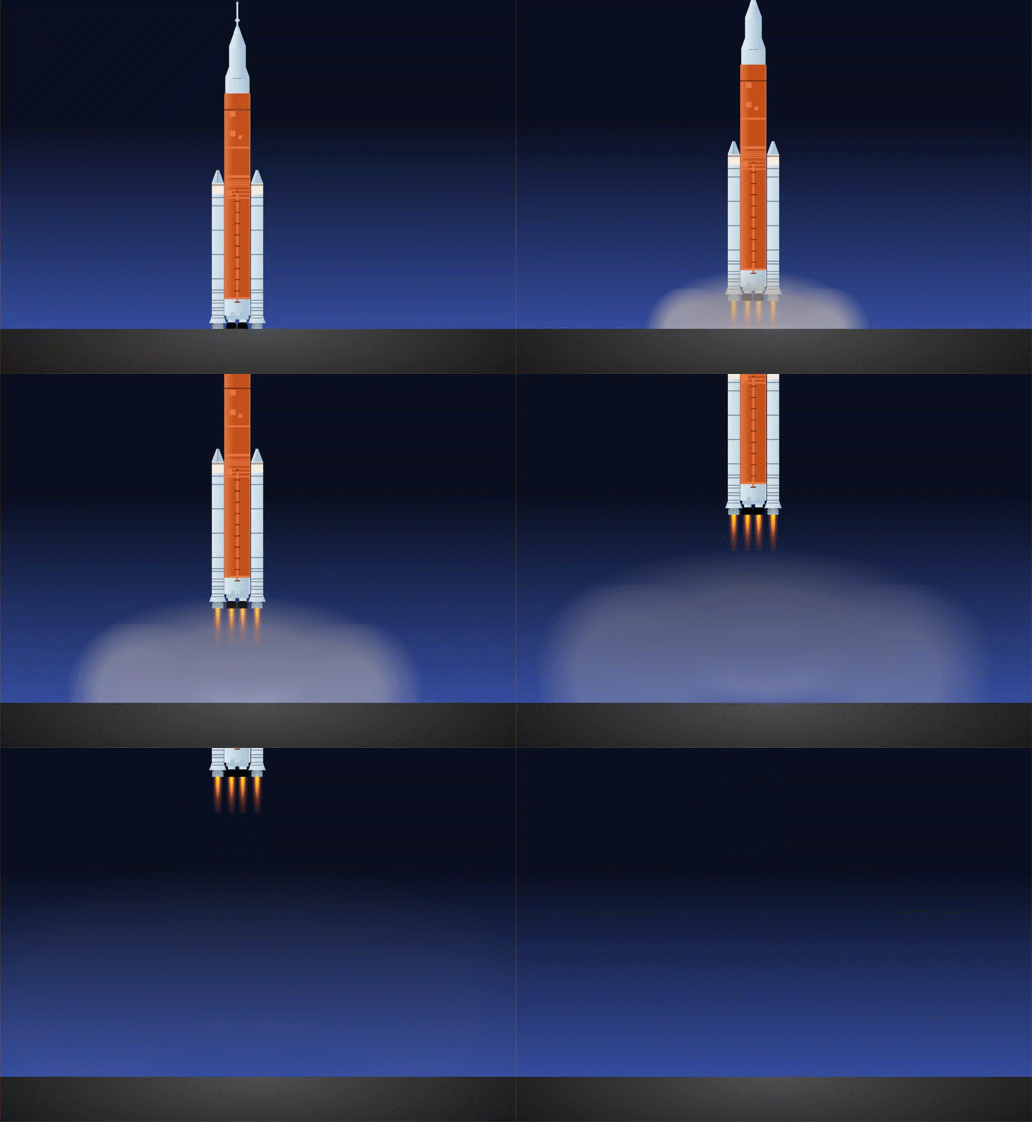
Last week, a NASA moon mission launched for the first time in my lifetime. Four astronauts strapped into the Orion capsule atop a 322-foot rocket and headed for the Moon — the first crewed lunar voyage in over fifty years. I watched the liftoff, and by the time the SLS cleared the tower, I already knew how I was spending with my free evening.
I sat down and started coding. Six or seven hundred lines of CSS later, I had built the whole thing.
An animated SLS rocket — the orange core stage, the twin solid rocket boosters, the Orion capsule, the launch escape tower and as a bonus to really challenge myself, the animation of launch into a gradient sky with fire, smoke, and liftoff. All of it hooked to a single <div class="artemis"></div> tag. No JavaScript. No image files. No SVGs.
Just CSS art.
Starting From a Reference
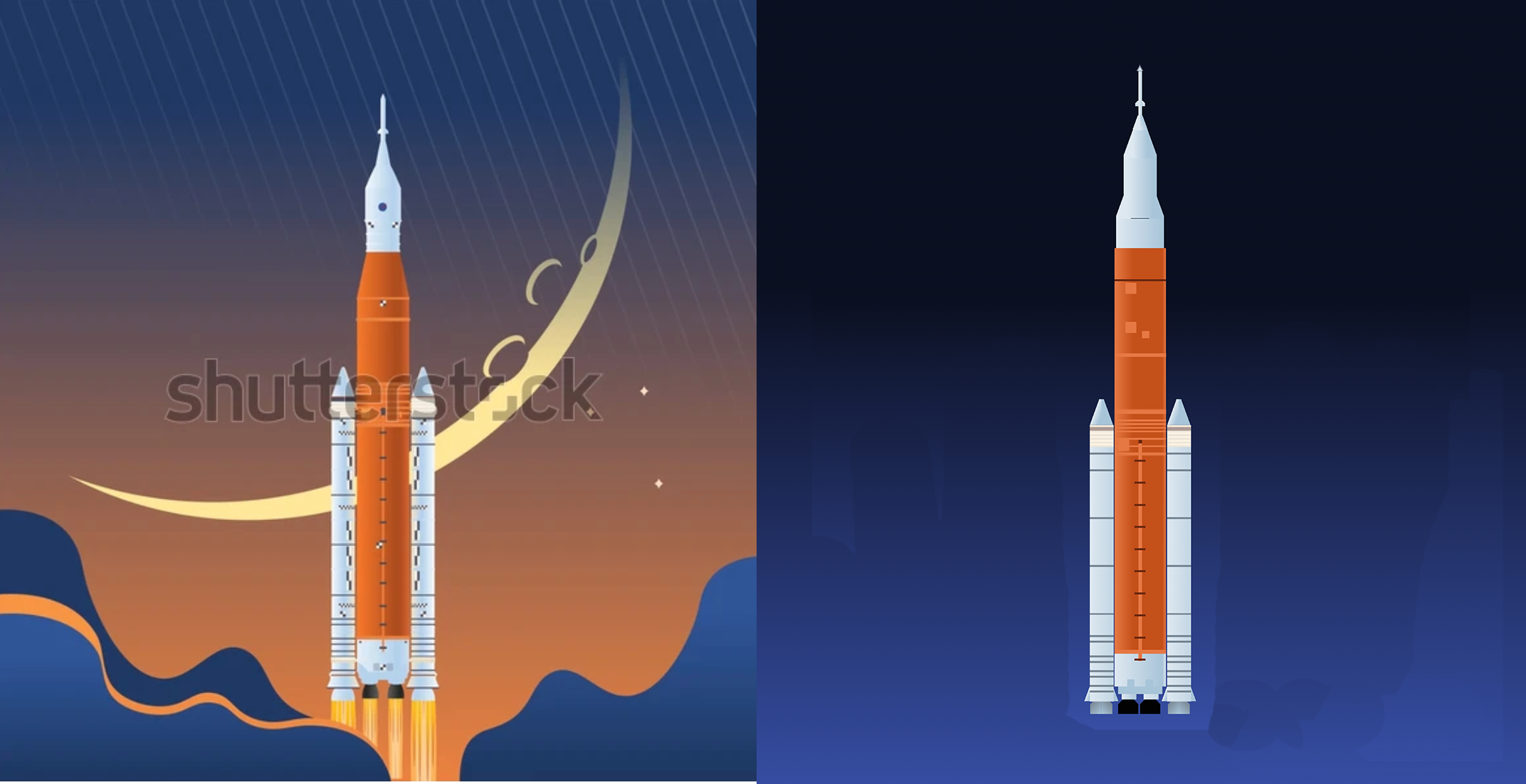
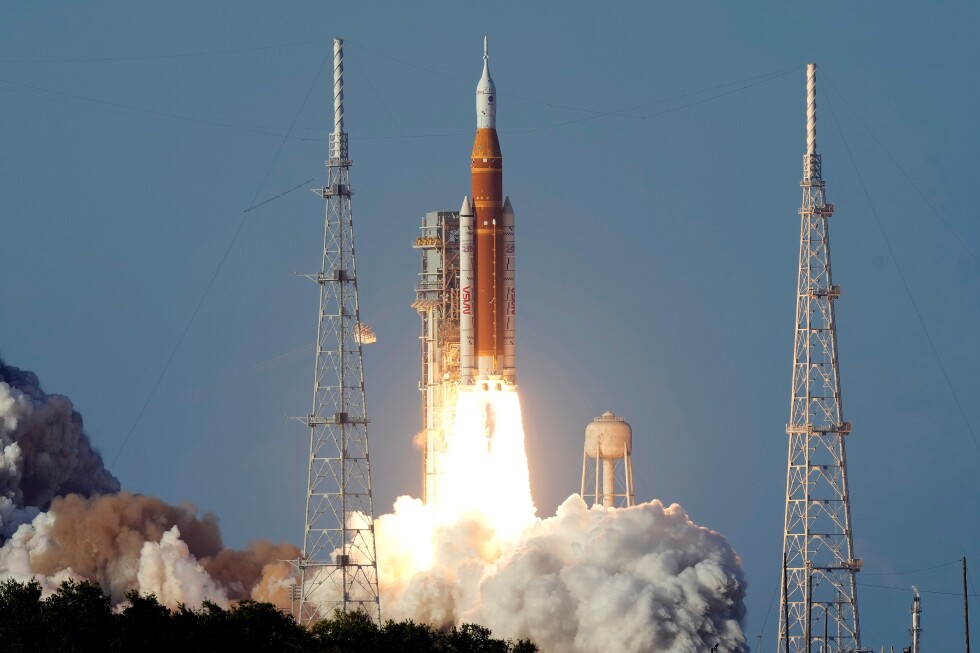
I learned a long time ago that the quickest way to get demoralized and quit CSS art is to run out of room in the viewport. My trick to avoid that is to pull in a sample photo of the subject and use it as a reference image.
CSS art does not work like tracing. It is exhausting to match things pixel for pixel when you have to write a new line of code for every new element. A reference image keeps me aware of proportions. How wide are the boosters relative to the core stage? Where does the Orion capsule sit in relation to the escape tower? How tall is the whole stack compared to its width?
That reference became my gut-check for every decision. Sometimes it felt like a blueprint, but it was more of a north star.
Thinking in Rectangles
If you’ve never done single-div CSS art, here’s the mental model: most of the effort is in the background layer, and in leveraging the :before and :after pseudo layers, painting with linear-gradient, radial-gradient, and border-radius. That’s the majority of your available palette.
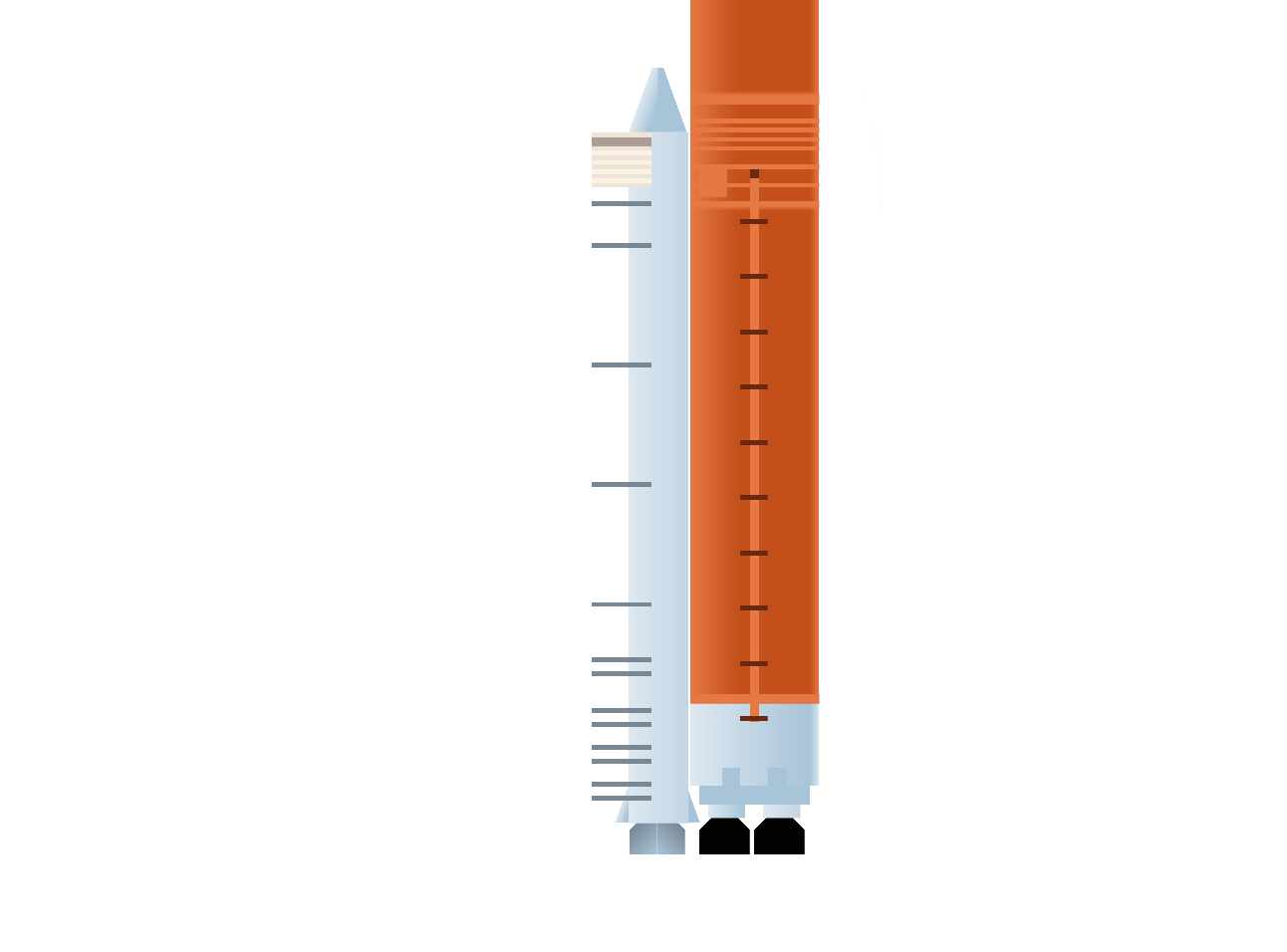
One reason I was able to complete this complex piece in a single evening is that, for me at least, rectangles are easy. It’s all 90-degree angles, and it’s straightforward to align and fill in, especially compared to getting proportions right on triangles and ellipses. The bulk of the body of the SLS rocket and boosters is essentially a series of two linear-gradients: one horizontal and one vertical.
The horizontal one starts as gray at 0% and ends as dark gray at 100%, filling the shape with a smooth gradient, as seen on the booster rockets. But to make the details on the rocket, you need to manipulate the entire concept of gradients. The real unlock on this build was realizing I could reduce the number of elements by consolidating detail lines. Instead of creating separate elements for each horizontal marking on the rocket body, I built single long rectangle elements where the gradient was just a thin line of color, then a stretch of transparency, then another thin line of color. One element doing the work of many. It’s the kind of optimization that only clicks after you’ve been staring at gradient syntax long enough.
The Fire Problem
The rocket exhaust was a different beast. Everything up to this point was linear gradients — straight lines, hard stops, rectangular thinking. Fire doesn’t work that way.
I went with a radial-gradient approach for the flames, which was much more challenging than my usual workflow. Radial gradients behave differently — the falloff, the shape, and the way colors blend at the edges. Getting something that read as "rocket fire" and not "orange blob" took real iteration.
Once I had the fire, I had to figure out what to do with it. I wanted to animate the rocket launching, but I also wanted a beat or two first to take it in. That couldn’t happen with visible flames shooting out of the bottom.
Then came a small breakthrough: the ground layer. I realized I could move the entire rocket onto the pseudo :after class, which would free up the primary <div>. Then I could add a flat ground element that would mask the fire until the rocket moved upward. Before liftoff, the flames are hidden below the surface. As the animation kicks in and the rocket rises, the fire reveals itself naturally beneath the boosters.
Simple solution, but it sold the illusion.
The Smoke (and the AI Assist)
To reverse the common trope, “where there’s fire, there’s smoke”. I needed to add smoke to the liftoff for it to read correctly, but it was getting late, i had written hundreds of lines of code already and was debating just cutting out the rising, fading circles that would drift and dissipate as the rocket climbed — the billowing exhaust cloud you see in every launch video. I was hitting a wall. Coordinating the movement, scaling, and opacity of multiple smoke elements over time was more than I wanted to brute-force by hand.
So I turned to AI to figure it out. I know the use of AI is polarizing, and I certainly don’t want to hand any part of this art over to machines. Nor did I feel I had.
The creative decisions were still mine: how many circles, how fast, how opaque, and where they originate. But the precise calculations across a multi-stage animation were where an AI collaborator saved me real time with the keyframe math.
Getting help putting numbers to the moving parts to achieve the vision I was working toward doesn’t make this piece any less handmade. To me using AI for computation feels the same as using a calculator. I still had to have the vision and understand the artistry of the piece to know what question to ask.
What I Left on the Table
Even with help solving for the smoke, it still wasn’t placed right. The rocket started too high, or the ground sat behind the fire instead of masking it. It took several rounds of troubleshooting by hand to get everything in its proper place. Because of those speed bumps, a few things got cut from the intended scope.
The launch towers. The SLS launch pad has intricate triangular towers on each side that I knew I could craft, but I made the deliberate call to leave them out. That level of structural detail would have been sizable on its own, and it also risked pulling attention away from the rocket. If I revisit this, the towers are on the list, along with reworking the ground to add a bit more texture (there were trees nearby) and recoloring the sky to support a higher level of environmental realism.
The fire cone. I was thrilled to solve the fire radial gradients, but the result is puny and naively simple compared to what it really takes to get the SLS into space. The exhaust cone is enormous, a massive plume that dwarfs the base of the rocket. Getting that scale right while keeping the animation smooth and the gradients manageable was more than I could solve in one evening. It’s the single most inaccurate element, and I know it. I’ll aim to fix it if and when I update again. But unlike the launch towers, where I can visualize the code in my head, I’m not exactly sure yet how the fire cone will work.
The viewport anchoring. I wanted the rocket anchored to the bottom of the viewport across all screen sizes. I got it working on most, but not all. There are edge cases where the positioning breaks.
Shipping Over Perfecting
That last point — the viewport issue — is worth sitting with for a second.
I could have spent another evening debugging responsive positioning. I could have spent two more evenings on the launch towers. I could have spent a week getting the fire cone to accurate scale.
But Artemis II launched already. The moment was fleeting. A CSS art piece of the SLS rocket posted the day after the first crewed moon mission in fifty years hits completely differently than the same piece posted three weeks later when it's "perfect."
I posted it. Not because it's finished, but because it's good — and because timing matters more than perfection when you're making something in response to a cultural moment.
The towers can come later. The fire cone can come later. The viewport fix can come later. The launch couldn't.
The Piece
You can see the full animated CSS art piece here:
https://codepen.io/robleto/pres/XJjqwzR
It's one <div>, a lot of gradients, and one very good evening.
I'm a creative director and CSS art enthusiast who builds things at the intersection of design, code, and craft. You can find more of my work at cssartstudio.com or robleto.com.